Recoveryfix Free PST Converter
Convert PST Files Free of Cost With Free PST Converter ToolRecoveryfix Free PST Converter lets you convert PST files into multiple formats. It supports PST files in both UNICODE and ANSI formats without requiring Outlook. The tool retain all email attributes and the original folder hierarchy in the converted output file. You can add and convert PST files up to 500 MB for free.

Recoveryfix Free PST Converter: Software Highlights
- Export single or multiple PST files to PDF, EML, MSG, and more formats.
- Convert PST files without Outlook or the Import/Export method.
- Preview complete mailbox data and attributes before conversion.
- Automatically locate all PST files on your system.
- Convert specific PST folders or mailbox items as needed.
- Apply Start Date and End Date filters for date-based conversion.
- Search for specific PST items using different parameters.
- Extract email addresses in XLSX, CSV, and Outlook Native CSV formats.
- Save email attachments separately, with or without extensions.
- Compatible with major versions of Windows OS.
Steps to Convert PST Files with Recoveryfix Free PST Converter
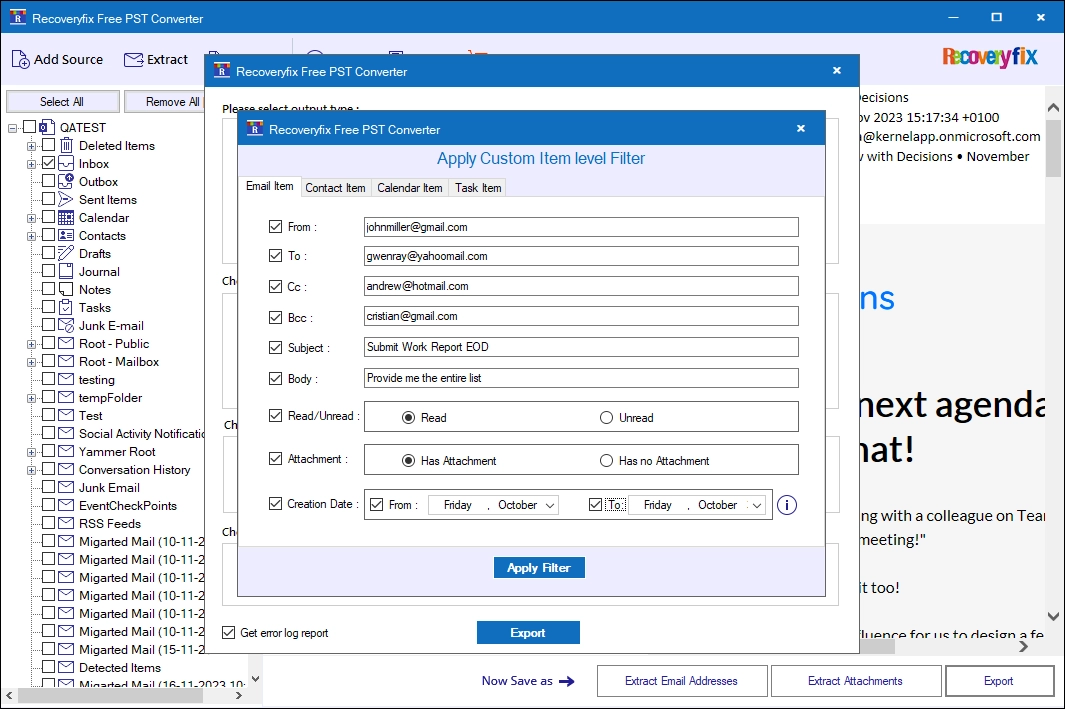
Here is the step-by-step process to convert PST files in just a few simple steps:
Features of Free PST Converter tool
Explore the key features to know about the functionalities of the Recoveryfix Free PST Converter.

Convert One PST File Up to 500 MB
Convert a single Outlook PST file with a maximum size of 500 MB. With an easy-to-use interface, you do not need any tech expertise to use the tool. Just add the PST file, choose output format, and start conversion.

Supports All PST Files
The Recoveryfix Free PST Converter tool supports healthy PST file in both UNICODE and ANSI formats. Convert multilingual PST file into your desired file format with ease.

Extract Email Addresses
Save email addresses from your PST file’s emails, contacts, calendar, tasks, and journal.The free PST Converter saves email addresses in XLSX, CSV, and Outlook Native CSV files.

Extract Attachments
The free PST converter tool offers a separate option to extract attachments from your PST file, with or without file extensions. You can also include or exclude specific attachment files during conversion to extract only required files.

Preview Mailbox Data
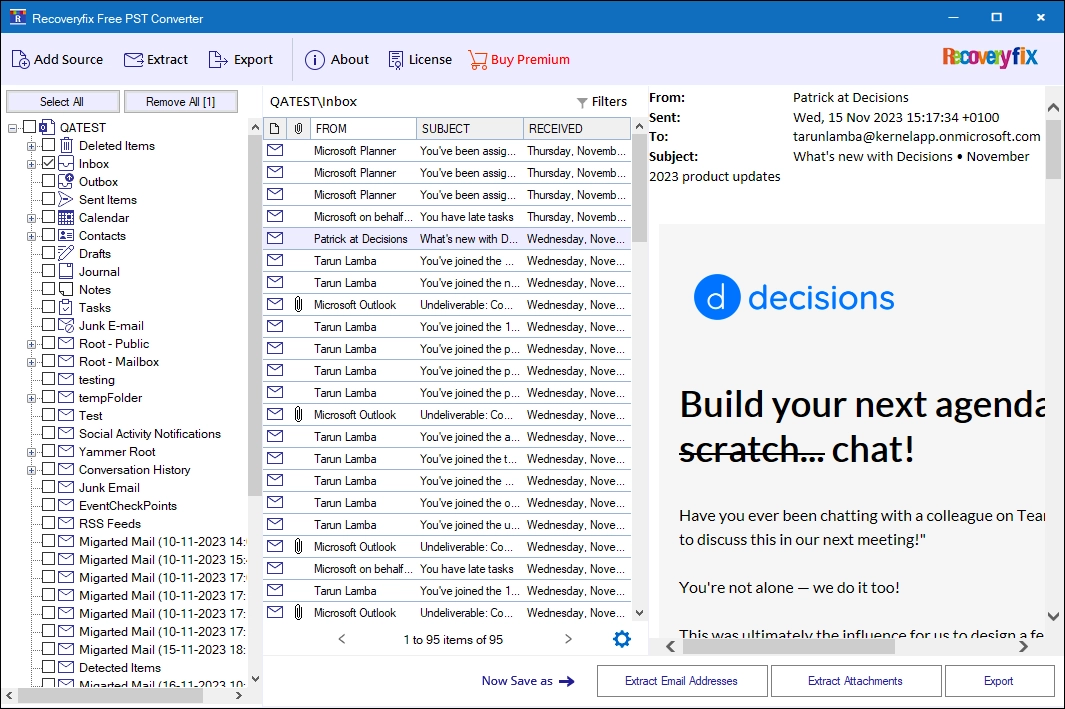
View the entire mailbox contents before you convert the source PST file. The free PST converter software lets you view all the email attributes, like To, Cc, Bcc, Subject, Body Content, Signature, and other details.

Convert Specific PST Data
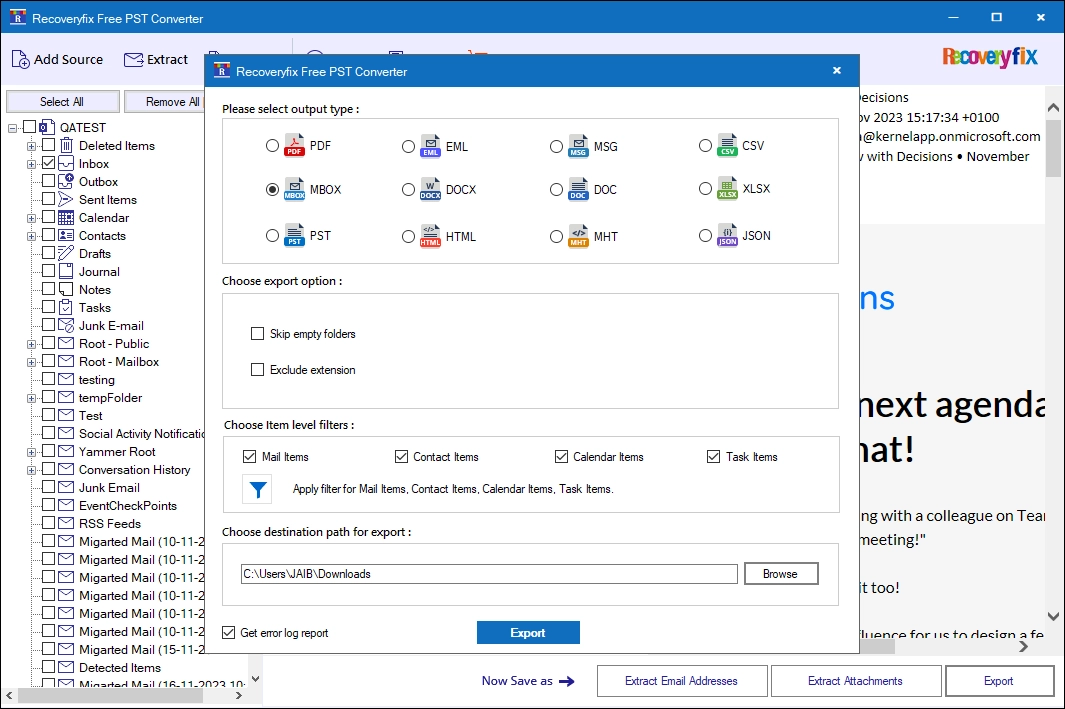
Our free Outlook PST converter tool comes with a folder selection option to convert desired folders in the output folder. Users can even run PST conversion of individual emails easily.

Convert PST Files in Multiple Formats
The PST Converter tool converts PST files into multiple formats, including PDF, EML, MSG, CSV, MBOX, DOCX, DOC, XLSX, HTML, MHT, and JSON.

Export Contacts and Calendar
Export contacts to VCF and calendar items to ICS for easy access to compatible applications.You can save all your contacts and calendar items to your local or NAS drives.

Search Email Using Filters
The Recoveryfix Free PST Converter software offers multiple search filters, including From, To, Cc, Bcc, Subject, Body, Read/Unread, Attachments, and Date creation filters to search for specific emails from bulk emails.

Customize PST Conversion with Date Filters
Select a specific date range to convert only the emails you need from your PST file. Set the start and end dates to filter messages and exclude emails outside your chosen period.

Download Log Report
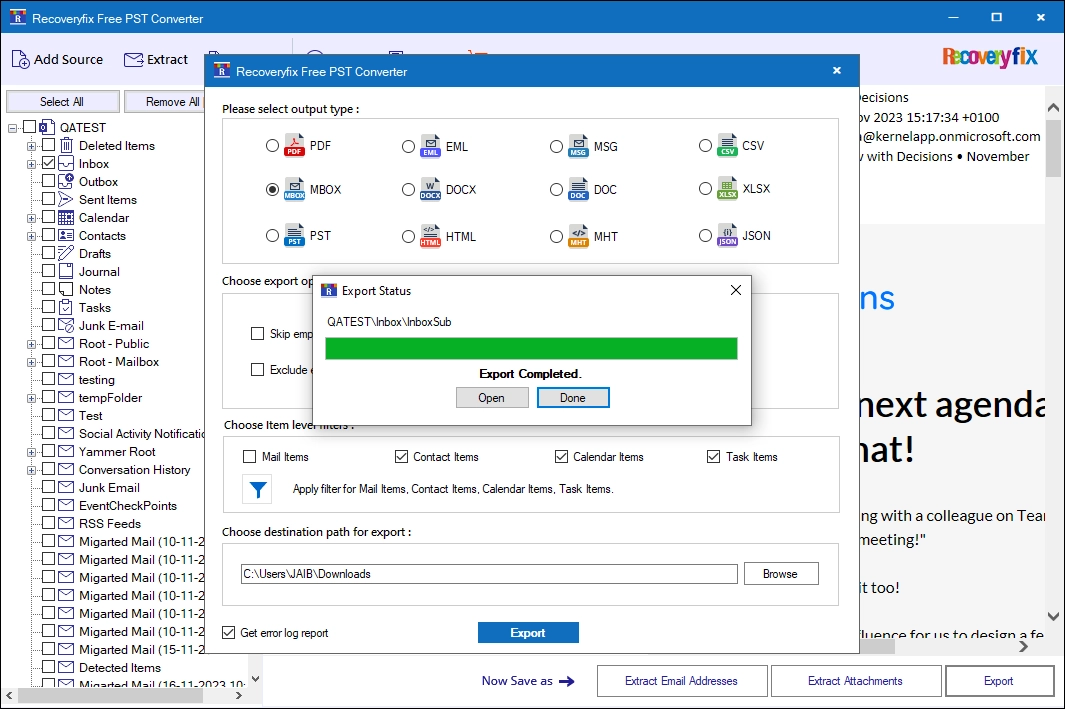
Generate and download a log report for each failed conversion with the free MS Outlook Converter tool. Review the reported errors and their causes to identify issues and take the right steps toward a successful conversion.

Supports PST files from all Outlook Versions
The free PST converter tool supports PST files from all major Microsoft Outlook versions, including Outlook 2003, 2007, 2010, 2013, 2016, 2019, 2021, and Microsoft 365.
Why Choose Our Free PST Converter Tool?
- Keep your PST data safe and secure throughout the conversion process.
- Easy to Use Interface to Convert PST files without requiring technical knowledge.
- Convert PST files for free without hidden charges or extra fees.
- Save PST data in a wide range of popular file formats.
- Get started quickly with an easy installation process.
- Regular software updates for improved performance and reliability.
- Compatibility with major Windows versions, including Windows 11.
Frequently Asked Questions
Get quick answers on formats, security, batch processing, and more.
How to convert PST file with the free PST Converter tool?
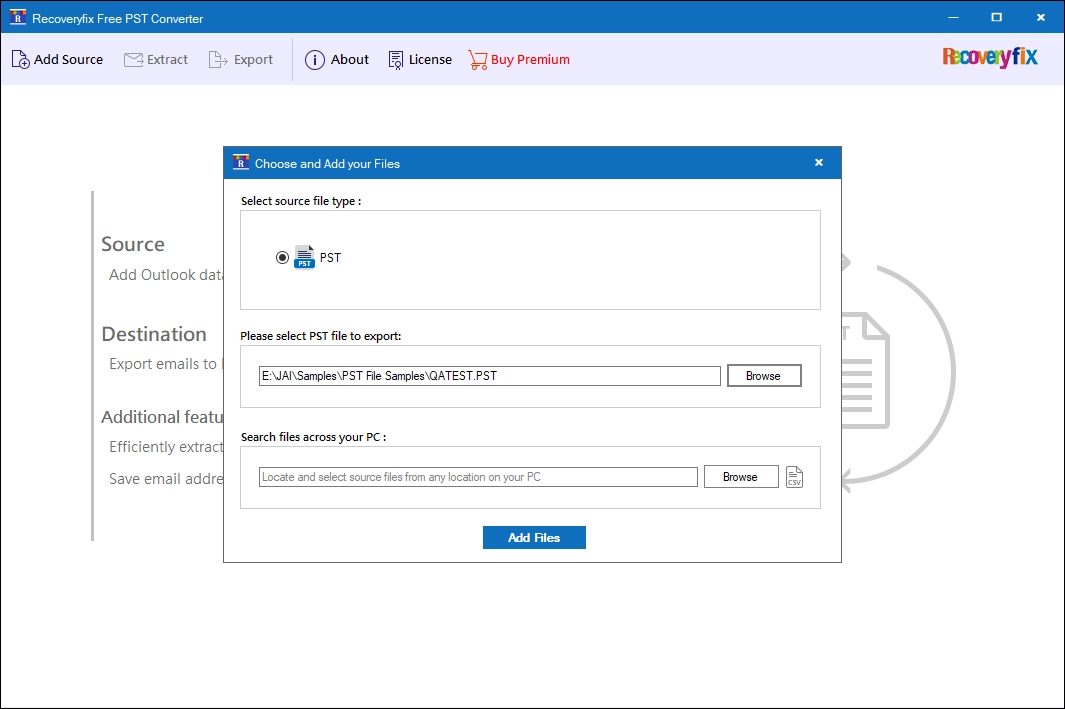
- Step 1: Browse and add PST files.
- Step 2: Select any email and view its content, then click Export.
- Step 3: Select the output file, saving location, and apply filters to convert PST data.