Recoveryfix Free OST Converter
Convert OST Files to PST Free - Save up to 500 MB at No CostFree OST to PST Converter converts bulk OST files to PST without requiring Outlook or an active Exchange Server. Preview OST items before conversion and preserve emails, metadata, read/unread status, and flags in the resulting PST files.

What Does Recoveryfix Free OST to PST Converter Offer?
- Convert multiple OST files to PST format at once.
- Extract email addresses to XLSX, CSV, and Outlook Native CSV files.
- Extract attachments from OST emails, including documents, images, and other file types.
- Automatically find OST files on local and NAS drives.
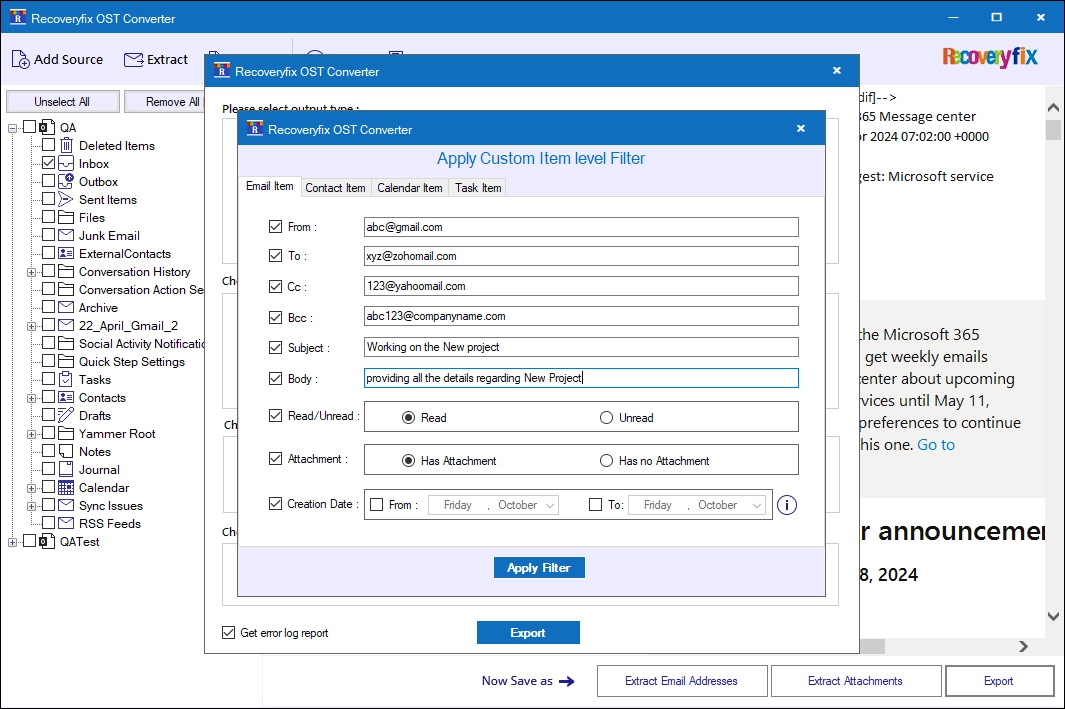
- Find specific emails using filters such as From, To, CC, and BCC.
- Split resultant PST files after oversized OST file conversion.
- Convert emails received or sent within a specific date range.
- Convert only selected item types, such as emails, contacts, calendars, or tasks.
- Skip empty folders during OST to PST conversion.
- Convert individual OST emails to PST format.
- Preview emails, folders, and other mailbox items before conversion.
How to Use the Recoveryfix Free OST Converter Tool?
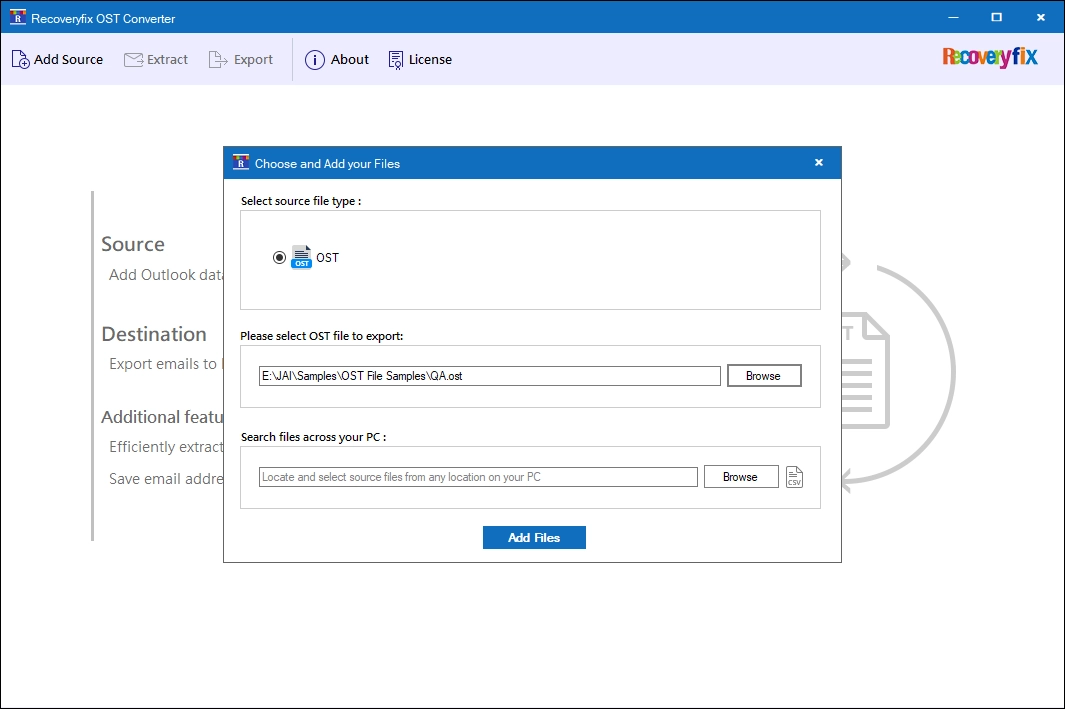
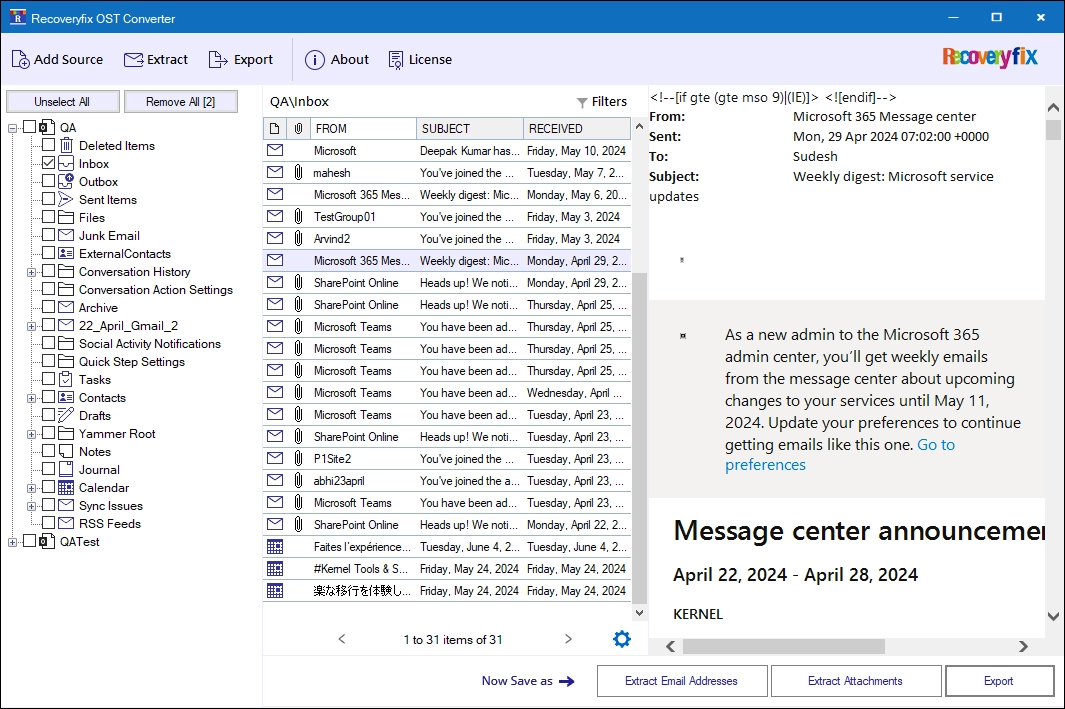
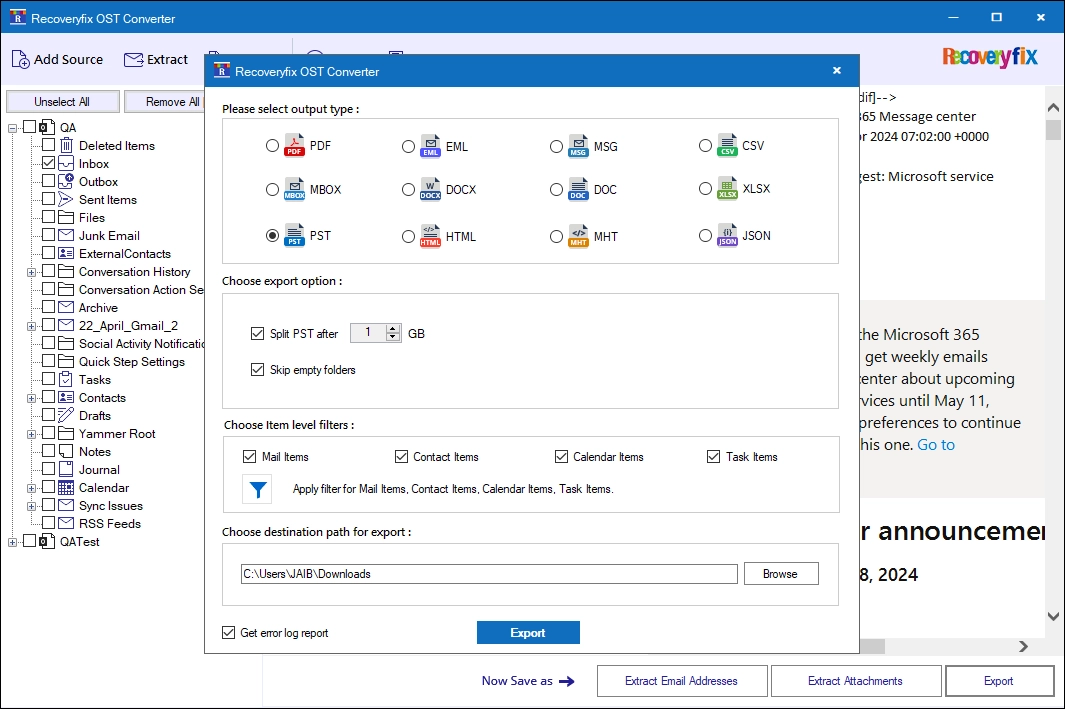
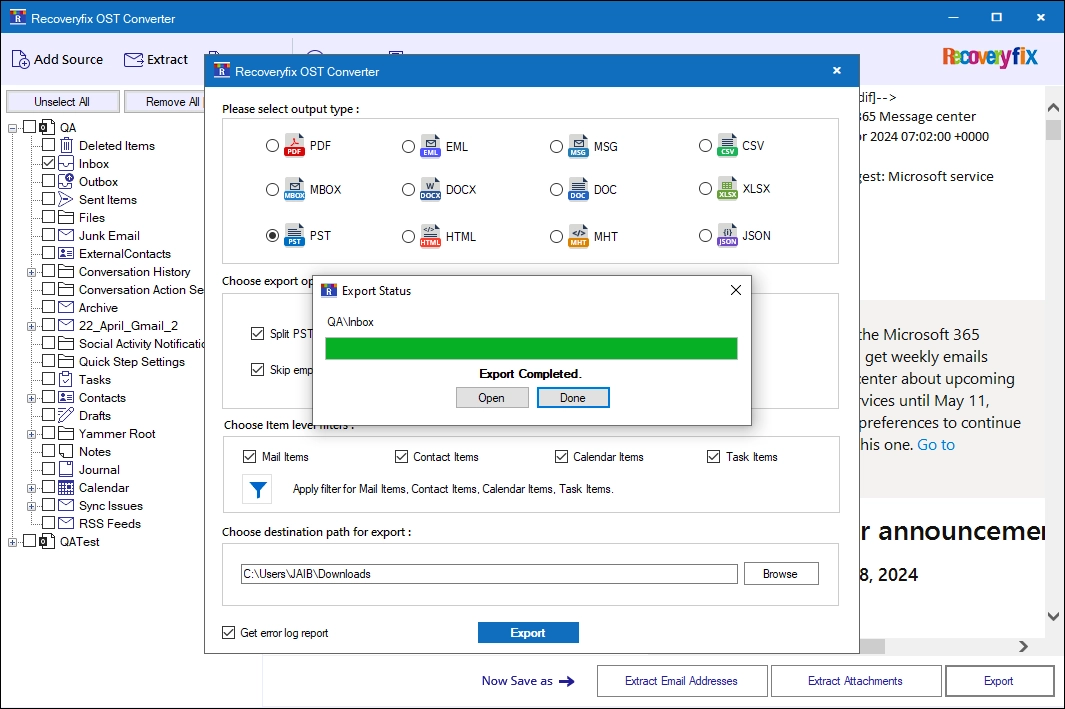
Here is the step-by-step process to convert OST files to PST in just a few simple steps:
Explore the Features of Free OST to PST Converter Software
Explore the key features to know about the functionalities of the Recoveryfix free OST Converter.

Convert Bulk OST Files
The free OST to PST file converter helps to convert multiple OST files to PST in a single batch. The tool is free of any restrictions on the number or size of OST files added for conversion.

Extract Outlook Attachments
Exports attachments from emails, including sent, received, and draft emails. Save attachments in original file format with or without extensions. Customize export preferences by including or excluding specific attachment file types.

Extract Email Addresses
Extract email addresses from Outlook mailbox items, such as Contacts, Calendar, Tasks, Journal, and Email Items for future auditing or client email analysis. Save email addresses in XLSX, CSV, and Outlook Native CSV file formats.

Preview OST Email Items
The OST to PST Converter tool comes with a Preview feature that allows you to view any specific email content with all its existing attributes. View emailsbased on To, Cc, Bcc, Subject, Body, Signature, Date, Time, and other details.

Auto Search OST Files
Auto-locate all the OST files from your local or NAS drives. The software offers a dedicated Search Files Across Your PC feature to retrieve all the OST files from the selected drive or folder.

Convert OST to Multiple Formats
The tool converts OST files to PST and 13+ other file formats. Export OST emails in EML, MSG, MBOX, HTML, PDF, CSV, DOC, DOCX, MHT, XLSX, and JSON. Save all OST calendar items in ICS and Contacts in VCF file format.

Convert Emails within a Date Range
The free OST to PST converter software includes a Date filter to convert emails of a specific period. Simply select ‘From’ and ‘To’ dates and convert OST emailsto PST from the selected date range.

Split Resultant PST File
Split the resultant PST into smaller files during the OST to PST conversion.For easier file management, you can also split resultant PST files in different sizes, ranging from 1 GB to 100 GB.

Get Log Report of the Process
The Free OST to PST File Converter tool also offers a Generate Log Reports feature. Download a detailed log report to verify the entire OST file conversion report of failed or skipped items with their respective reasons.
Why Choose Our Free OST to PST Converter?
- Convert up to 500 MB of OST files for free at no cost.
- Designed for both technical and non-technical users.
- Offers a simple conversion process from start to finish.
- No credit card required to convert OST files to PST.
- Maintains the original folder structure during conversion.
- Download and install the software on Windows 11, 10, 8.1, 8, and 7.
- Contact the support team to extend the demo version for satisfactory results.
Common Questions About Free OST to PST Conevrter
Find clear answers about supported formats, conversion capabilities, security, batch processing, and more.
How do I convert bulk OST files to PST?
- Step 1: Access the Recovery Free OST Converter Tool. Browse and add OST files in bulk.
- Step 2: Preview all the added OST file data on the dashboard and click Export.
- Step 3: Choose the PST output format, apply the relevant filters, and start converting all the selected OST files to PST.