Recoveryfix Free EML Converter
Convert multiple EML files to PST for free, up to 250 MB in total.Convert EML files into Outlook-ready PST format for free. Recoveryfix Free EML Converter allows you to add individual EML files or an entire folder for bulk conversion. Preview emails before exporting, and preserve attachments, headers, body content, and the original folder structure.

What You Get with Recoveryfix Free EML Converter Tool?
- Search EML files across your PC in one click.
- Use a CSV file to search folders with long file paths.
- Convert EML files without installing Outlook.
- Preview EML emails, attachments, and message content.
- Extract attachments without file extensions from EML files.
- View an error log to track unsuccessful conversions.
- Apply item-level filters for Mail, Contacts, Calendar, and Tasks.
- Extract email addresses to XLSX, CSV, and Outlook-compatible CSV formats.
How Does Recoveryfix Free EML Converter Work?
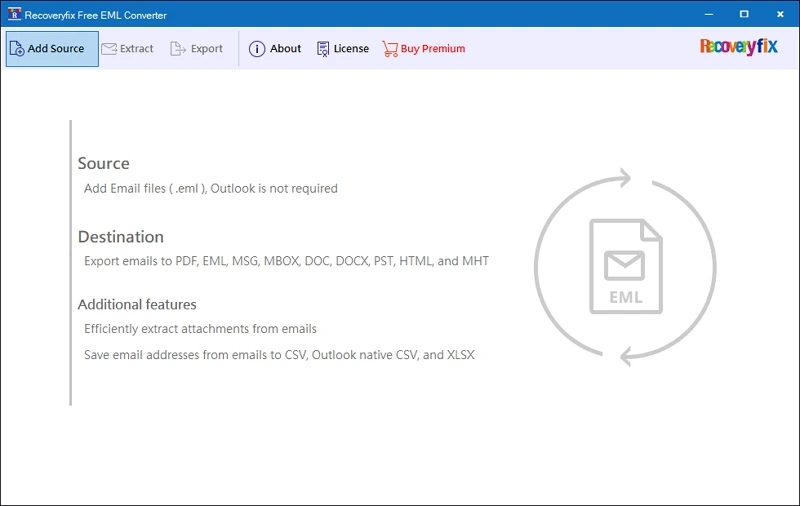
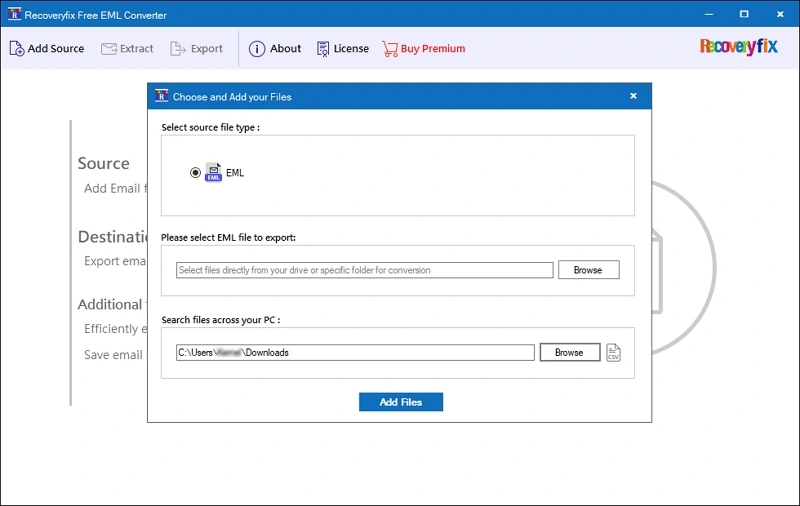
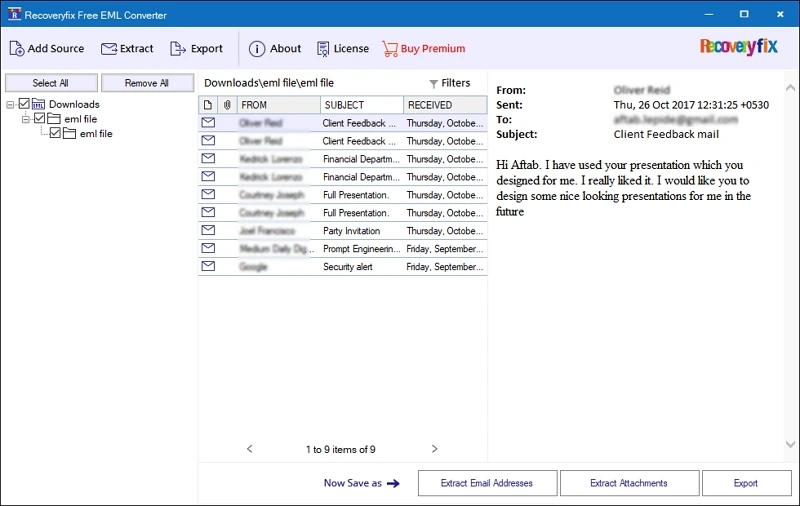
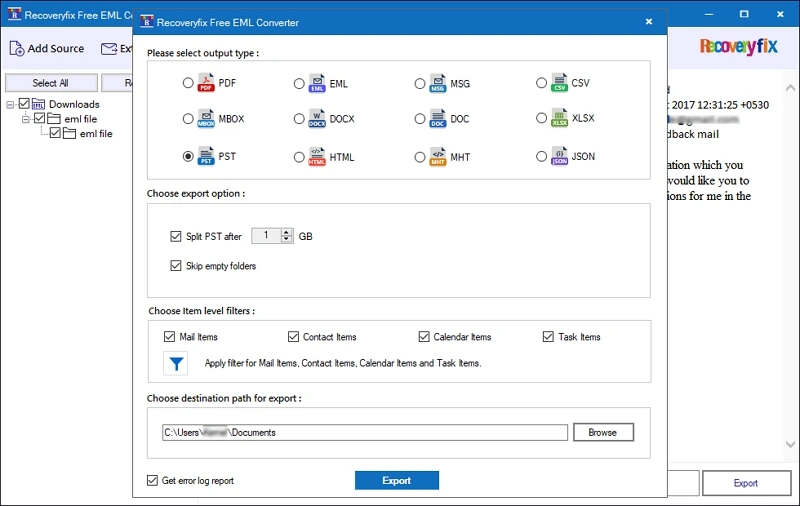
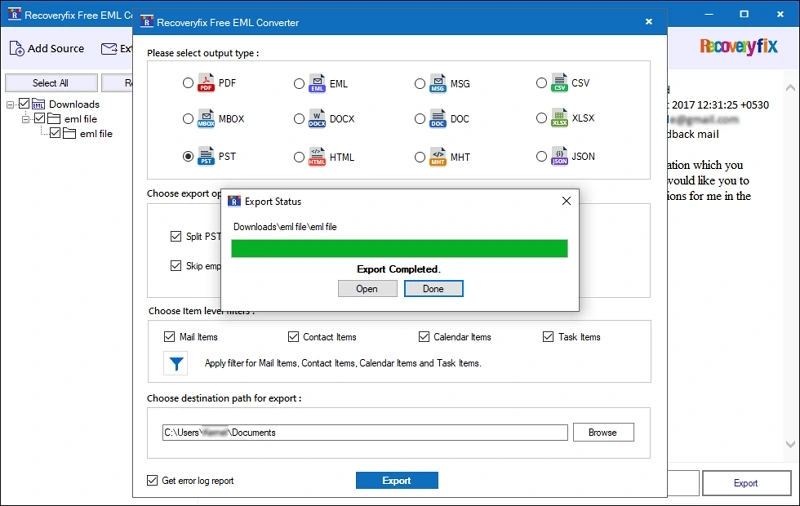
Here are the 5 simple steps to convert EML files to PST format for free.
Recoveryfix Free EML Converter Software: Key Features
Discover how our free EML to PST Converter software helps you simplify conversion with its features.

Free EML Files to PST Conversion
Convert EML files to PST format to access your emails in Microsoft Outlook. The Free EML Converter tool supports adding EML files up to 250 MB, which makes it suitable for conversion requirements.

Add or Search EML Files Location
Select individual EML files or browse a specific folder with Freeware EML to PST Converter tool. Also, you can auto-search for EML files across your PC to locate email messages stored in different directories.

Preview EML Files Before Conversion
The Free EML to PST Converter tool displays email messages before conversion. Review details such as sender, recipient, subject, received date, and message content to identify the needed emails.

Extract Email Addresses from EML Files
Save email addresses from the added EML files, including sender, recipient, CC, and BCC fields. The free EML converter software lists the collected addresses and saves them into CSV, XLSX, and Outlook Native CSV.

Save Attachments from EML Files
The Free EML to PST Converter software also exports attachments (with or without extensions) instead of the entire email. Choose a destination folder & apply file-extension filters to get only the needed attachments.

Export Contacts and Calendar Data Separately
Save the contacts (vCard or .vcs) or calendar (iCalendar or .ics) separately once you choose the right output format. With the Freeware EML to PST Converter tool, you can manage non-email information efficiently.

Convert EML files to Different Formats
The Free EML Converter tool supports output formats beyond PST. Save EML files to PDF, MSG, CSV, MBOX, DOCX, DOC, XLSX, HTML, MHT, and JSON formats. Easily access your email messages across different platforms.

Retain Email Properties During Conversion
Preserve essential email properties, including sender, recipient, subject, date, and message content, during conversion. The Free EML to PST Converter tool ensures that important email information remains accessible in the PST file.

Save Only Required Items With Filters
Use the item-level filters to control which supported categories are included in the export. With the EML file Converter Free software, you can select mail, contacts, calendars, or tasks separately to get them in the output PST file.

Store Files With Naming Convention
Choose a file-naming convention (Subject, Subject + Date, From+ Subject+ Date, Date+Subject, or From+ Date) to save files. The Free EML to PST converter software helps organize exported files and makes individual messages easier to identify later.

Maintain Email Folder Organization
The Free EML Converter maintains the original folder structure throughout the conversion. It keeps your emails organized by their respective folders to locate and access the converted email messages easily.

Monitor Live Conversion Progress
Track the conversion process through the software's status indicators. Enable the error log report option to record processing issues to easily identify and troubleshoot errors encountered while converting EML files.
What Makes Our Free EML to PST Converter A Smart Choice?
Convert EML to PST easily and flexibly with the hassle-free Recoveryfix Free EML Converter.
- Export up to 250 MB of EML files to PST without purchasing a license.
- Convert EML to PST in 3 steps: Add, preview, and convert.
- Easy-to-follow steps for all types of users.
- No need to install Outlook for free EML to PST conversion.
- Run the software on Windows 11, Windows 10, and other supported versions.
- Need a higher conversion limit? Contact our support team to discuss your options.
FAQs About Freeware EML to PST Converter
Get quick and clear answers related to the Recoveryfix Free EML Converter tool.