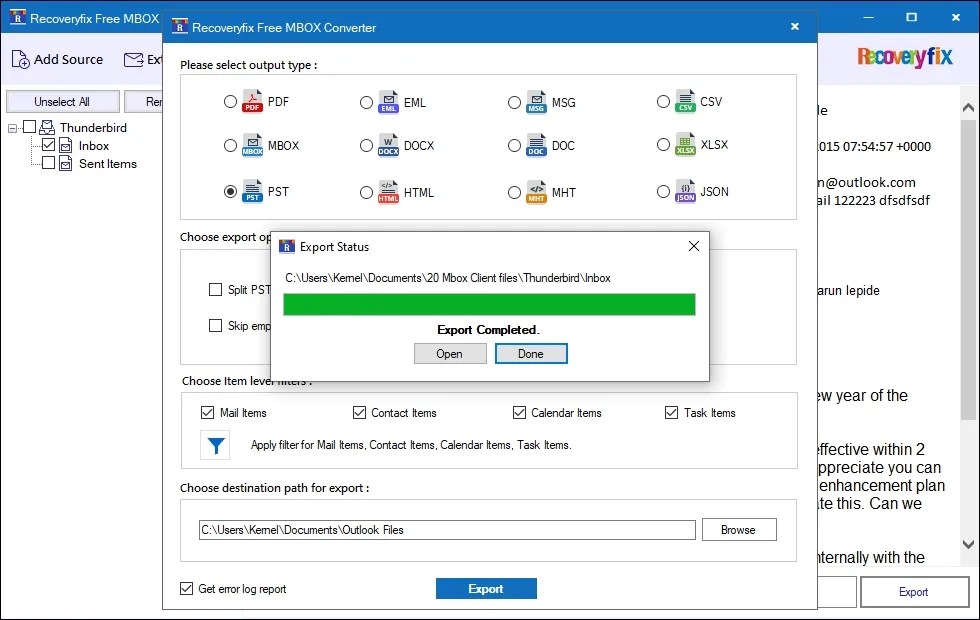
Recoveryfix Free MBOX Converter | How It Work?
Convert MBOX to PST | Recoveryfix Free MBOX Converter Software
Step 1: Download and install the Recoveryfix Free MBOX Converter software on your system.
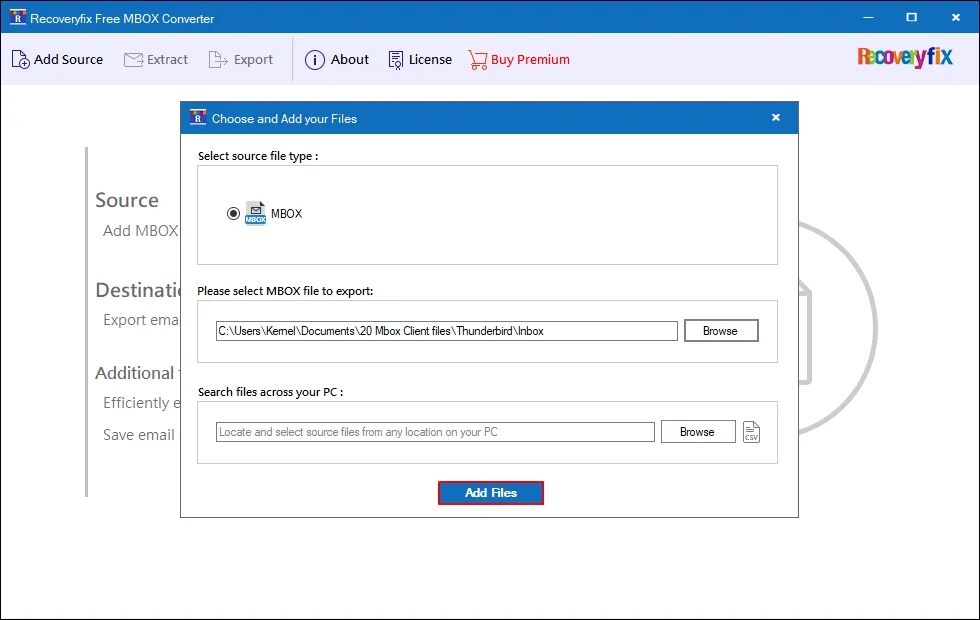
Step 2: Launch the tool and tap on the Add Source button.
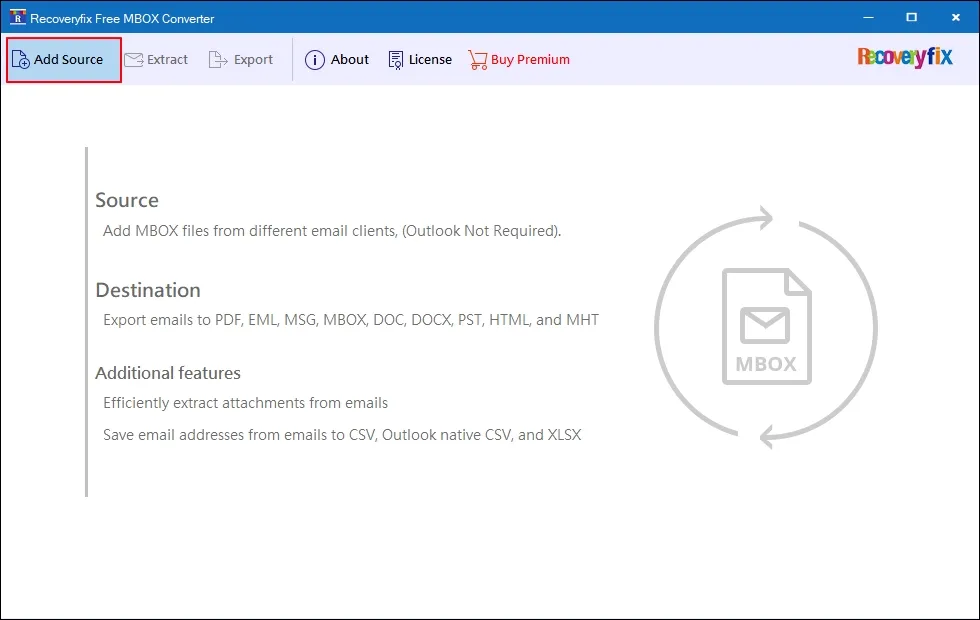
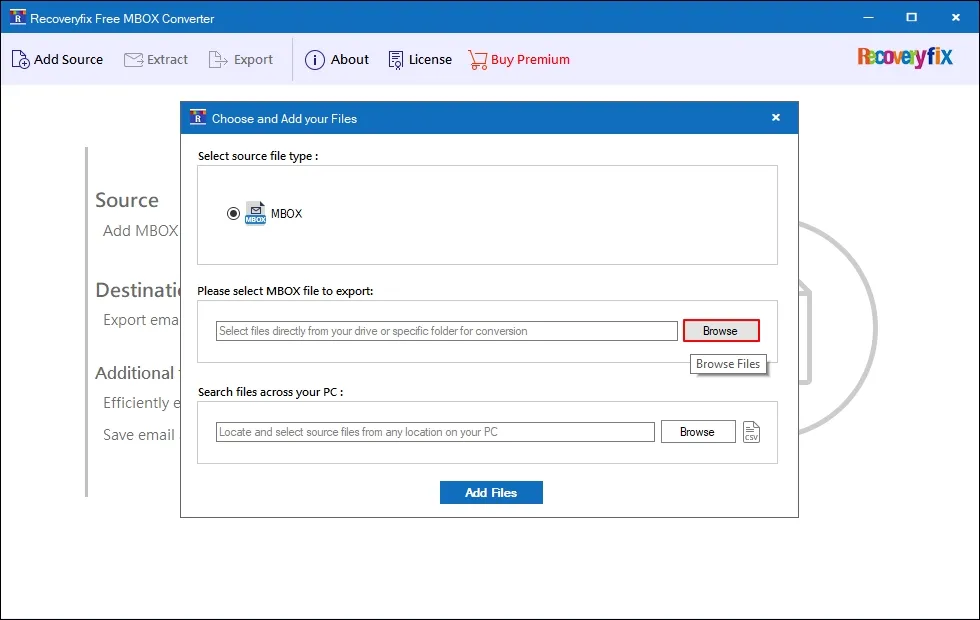
Step 3: Tap on Browse to select the required MBOX file for conversion.
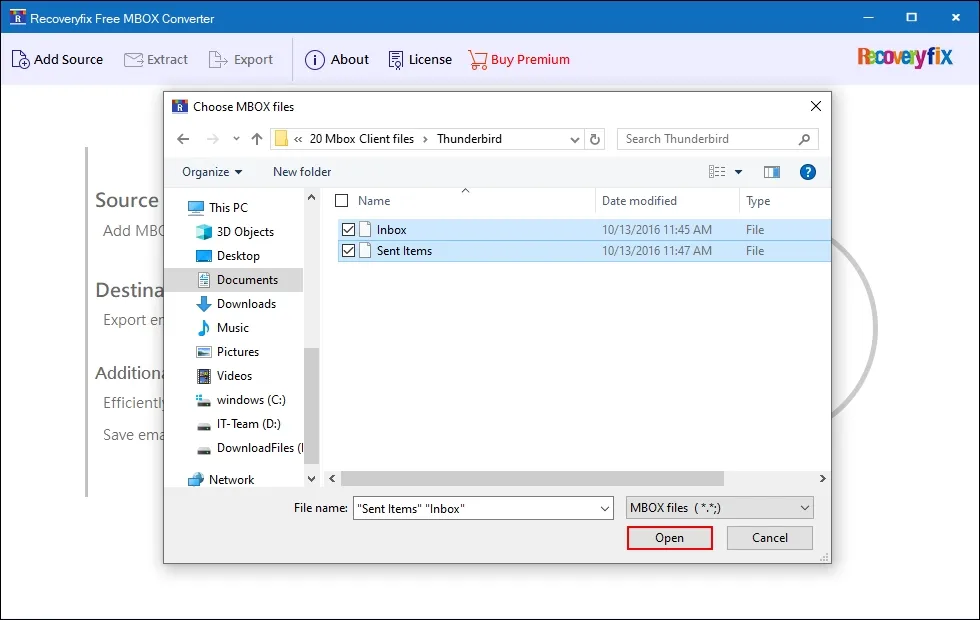
Step 4: Navigate to the folder and select the MBOX file you want to convert to PST, and tap Open.
Step 5: Once your MBOX file is listed, click on Add Files.
Step 6: A preview of MBOX data will be generated. View the email data that you want. After that, click Export.
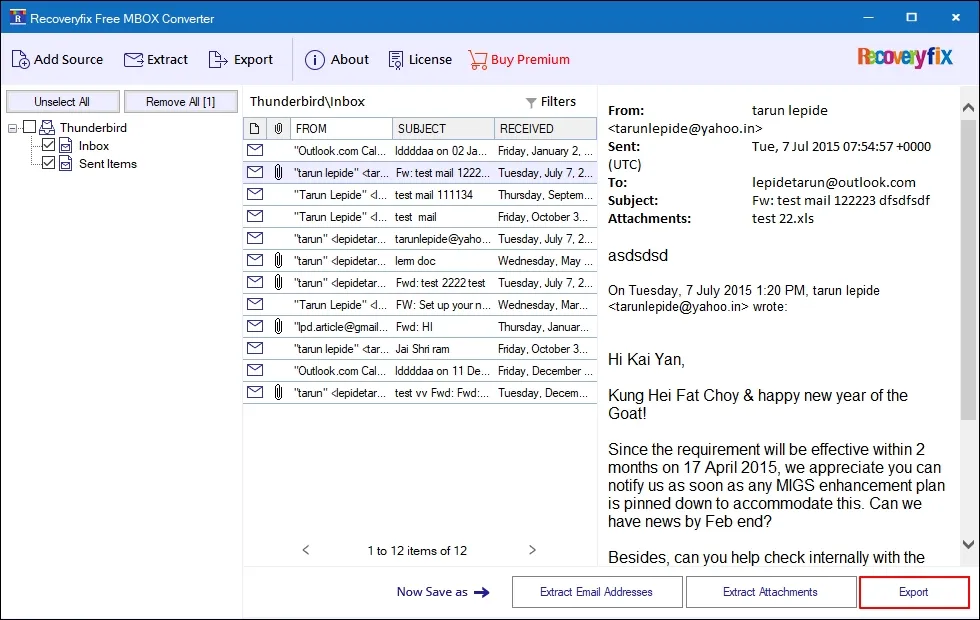
- Filters: You can use the filters to preview specific emails in different parameters like From, To, CC, BCC, Subject, Body, Read/Unread, Attachment, Creation Date, and different item-level custom options.
- Extract Attachments: You can extract attachments from entire MBOX emails locally into their original file type.
- Extract Email Addresses: You can also extract and save all email addresses from Email Items, Contacts, Calendars, Tasks, and Journal to CSV, XLSX, and Outlook Native CSV formats.
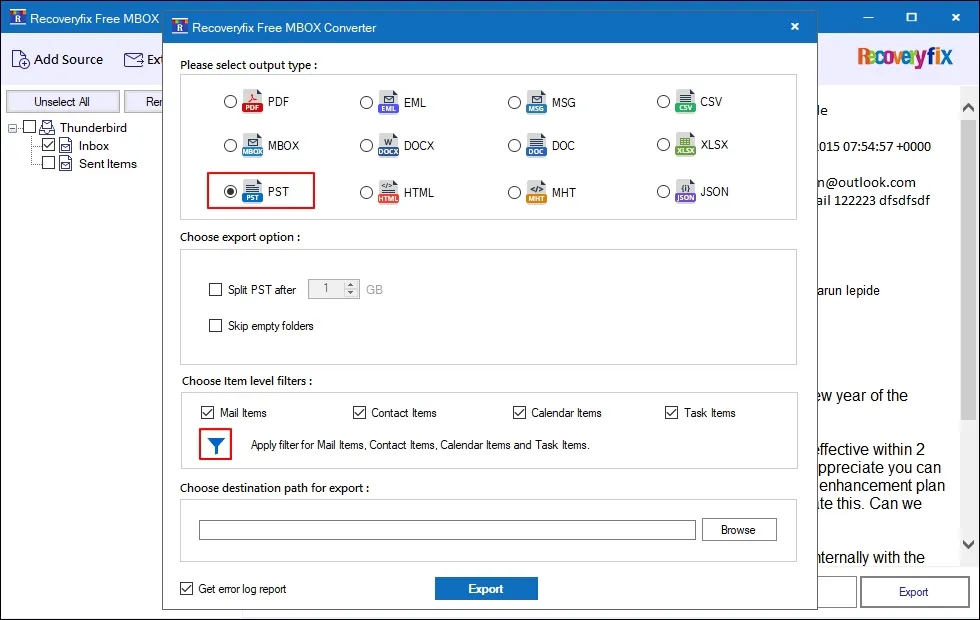
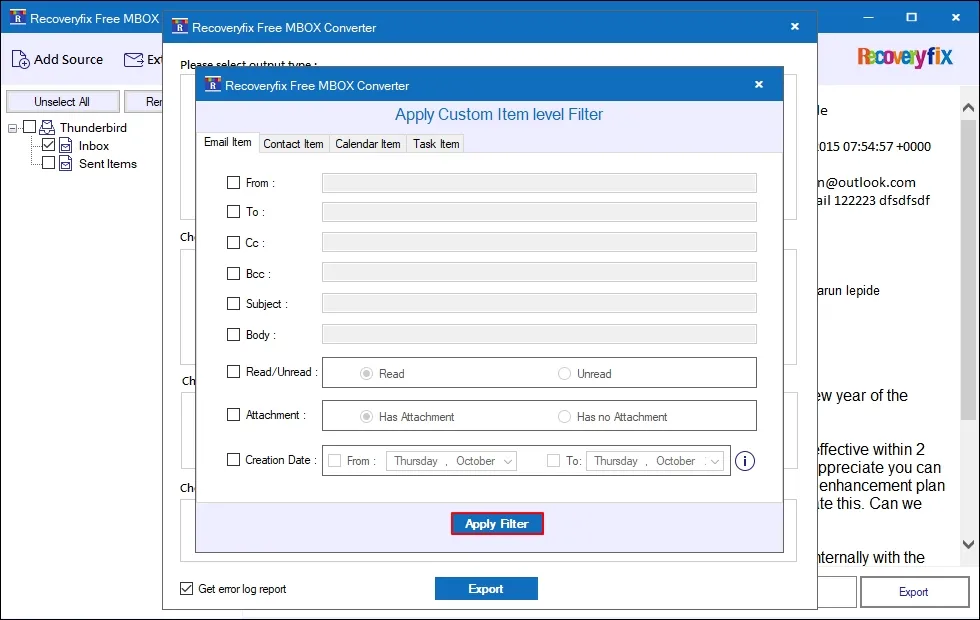
Step 7: Select PST as an output type. After that, go to Choose Item-level filters, then Filter icon if you want to convert specific emails.
Step 8: Select the necessary options among Email, Contact, Calendar, Task to customize item-level filters. Once done, click on Apply Filter.
Step 9: Now click on Browse and specify your saving location, then click Export.
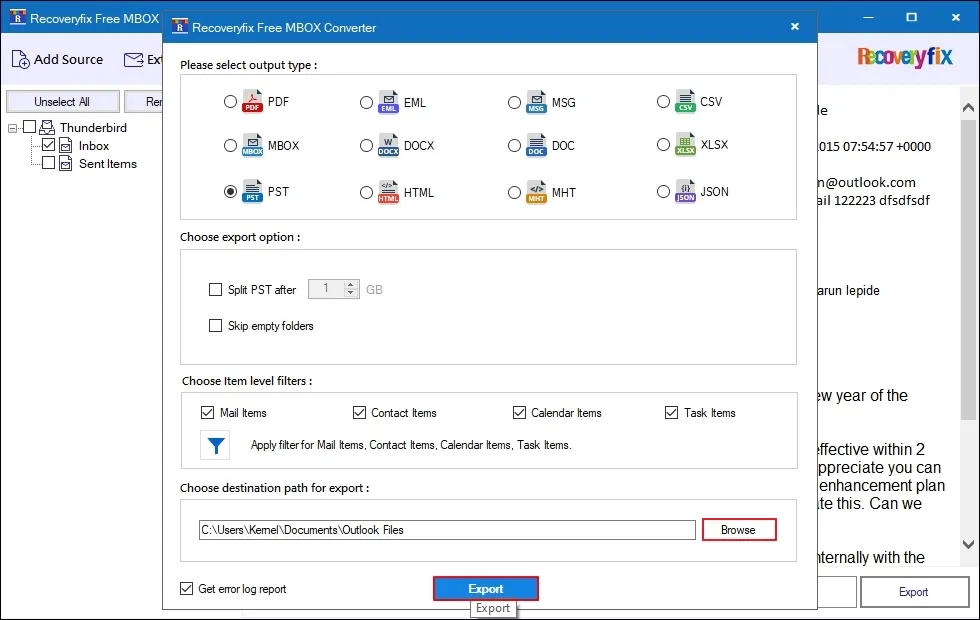
Note: Check the Get error log report only if required.
Step 10: The software will start converting the MBOX file to PST.
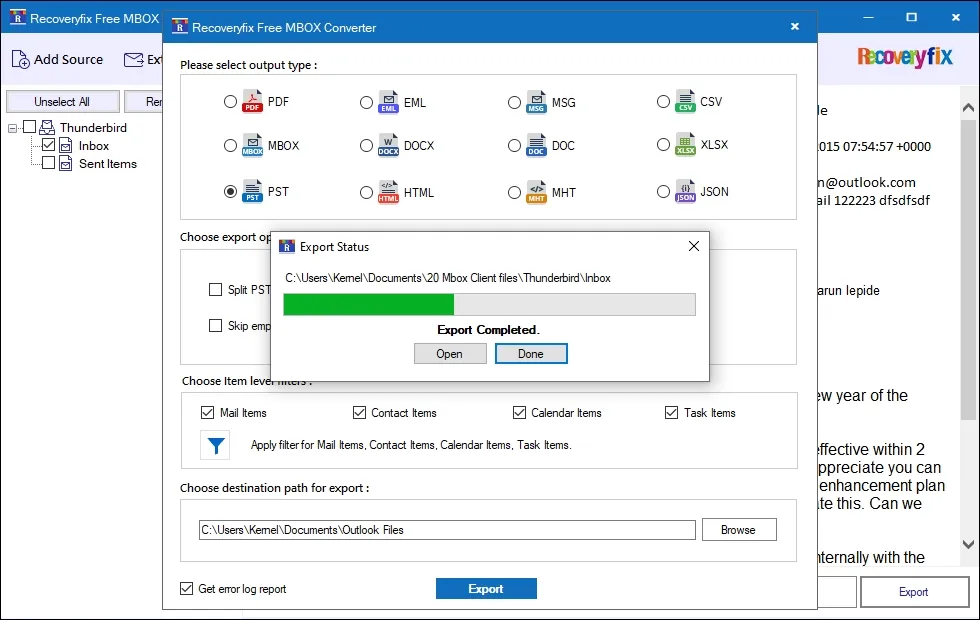
Step 11: After completion, click Open to directly navigate to where you saved your PST file, or tap Done to end the conversion.